Find the scene behind the card
Open the chapter companion. The cards follow chapter, scene and scene setting. Look for the location and time when several scenes have similar names.
Browse scenes by chapter, with place and time on each card, compare its purpose with its summary, and move its draft with the scene card in Loomworld.
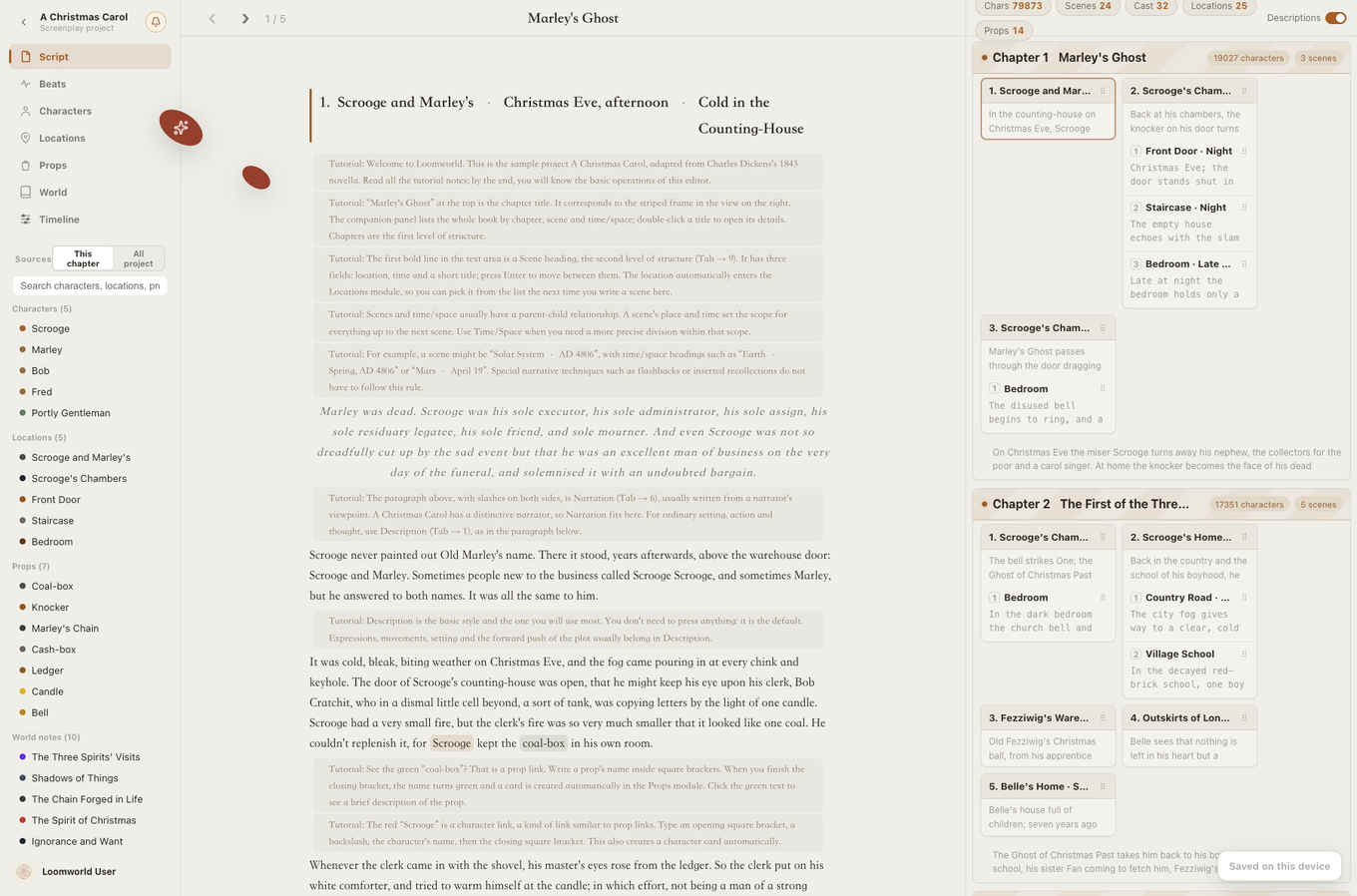
Moving a scene summary in a spreadsheet leaves its paragraphs in the old chapter. Compare the neighboring scenes before and after a reorder.
Open the chapter companion. The cards follow chapter, scene and scene setting. Look for the location and time when several scenes have similar names.
For a confrontation in a counting-house, the intention might be to force a choice. The summary records what the speaker actually chooses. A gap between the two is a useful revision note.
Move the confrontation earlier in the chapter and read its new neighbors. The draft moves with its scene card. Check whether a character now refers to a meeting that has yet to happen.
Find two scenes from the same chapter. Select the location and time you want to inspect.
Note which scene establishes a fact the other takes for granted.
Move a card and reread the transition in the manuscript. Keep the sequence that makes the decision intelligible.
See what must move together
| Capability | Planning sheet | Scene card |
|---|---|---|
| When it fits | Useful for trying out a sequence before drafting. | Use it to move a scene with the manuscript text attached. |
| After a reorder | Update the sheet and move the text separately | The scene text moves with its card |
| During drafting | Look up the corresponding row | The companion highlights the current scene |
You can write summaries and reorder scenes yourself. Automatic summaries require sign-in, an eligible cloud subscription and cloud sync enabled for this project.
Choose two consecutive scenes and name the detail the second one inherits from the first.